
How to Activate Community Edition Key
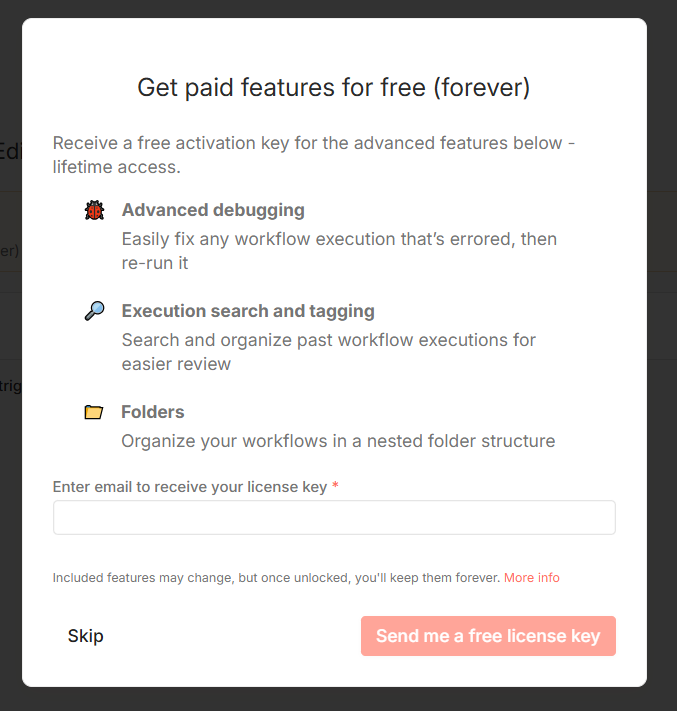
When running your own self-hosted version of n8n, you can unlock extra features by registering your n8n Community Edition. Simply register with your email and you'll receive a license key that unlocks the following:
Folders – Organize your workflows into tidy folders
Debug in editor – Copy and pin execution data while working on a workflow
Custom execution data – Save, find, and annotate execution metadata
Steps to activate
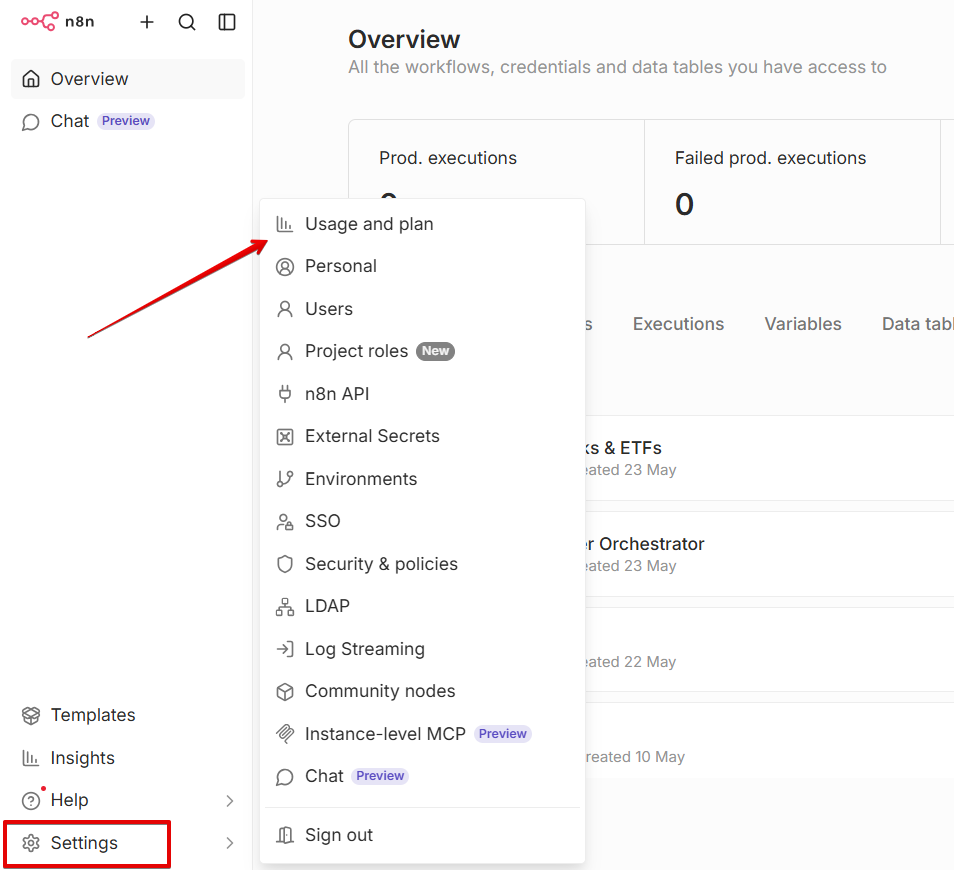
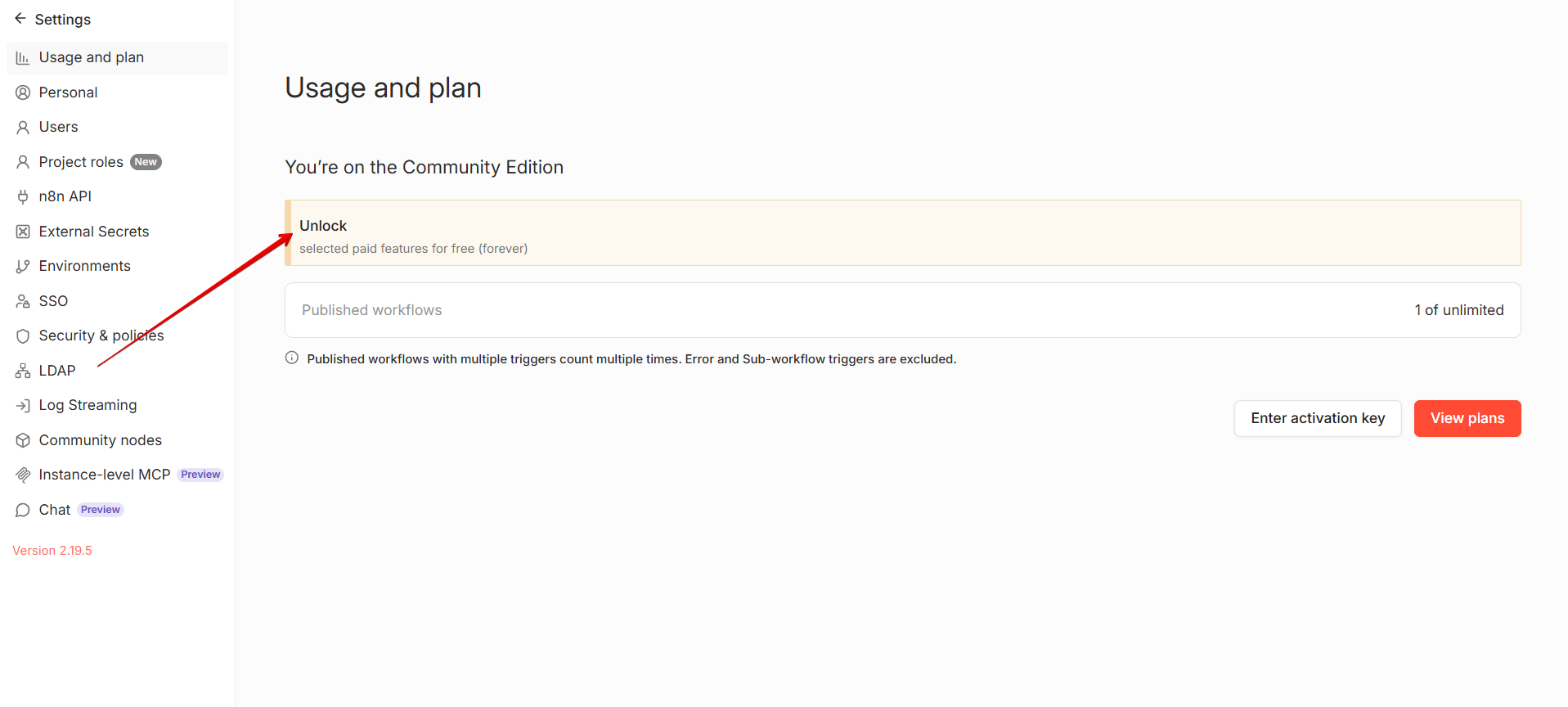
Go to Settings > Usage and plan.
Click Unlock.
Enter your email address and click Send me a free license key.
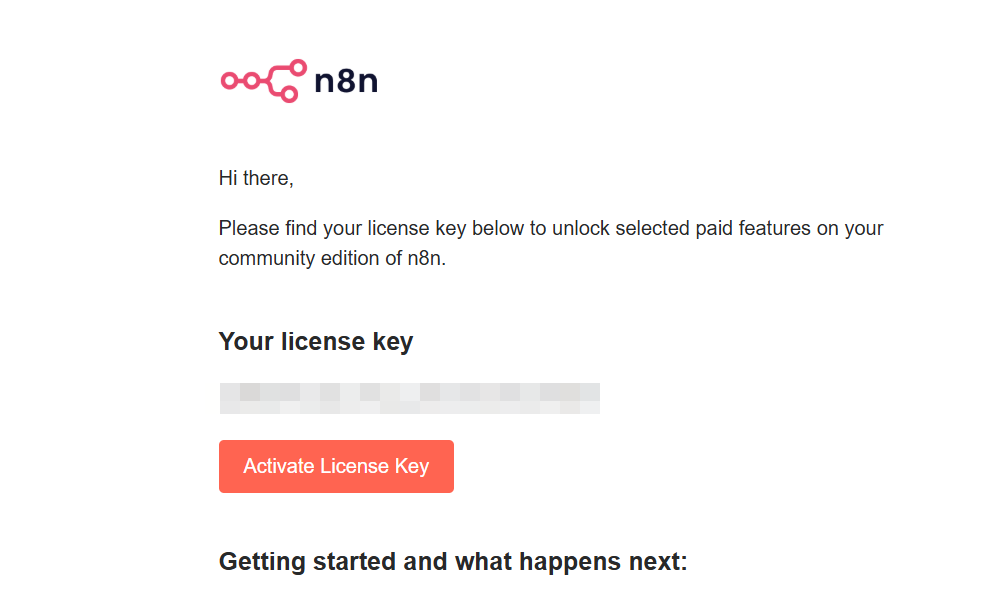
Check your inbox for the license key email. You can activate it in one of two ways:
Click the activation button directly in the email.
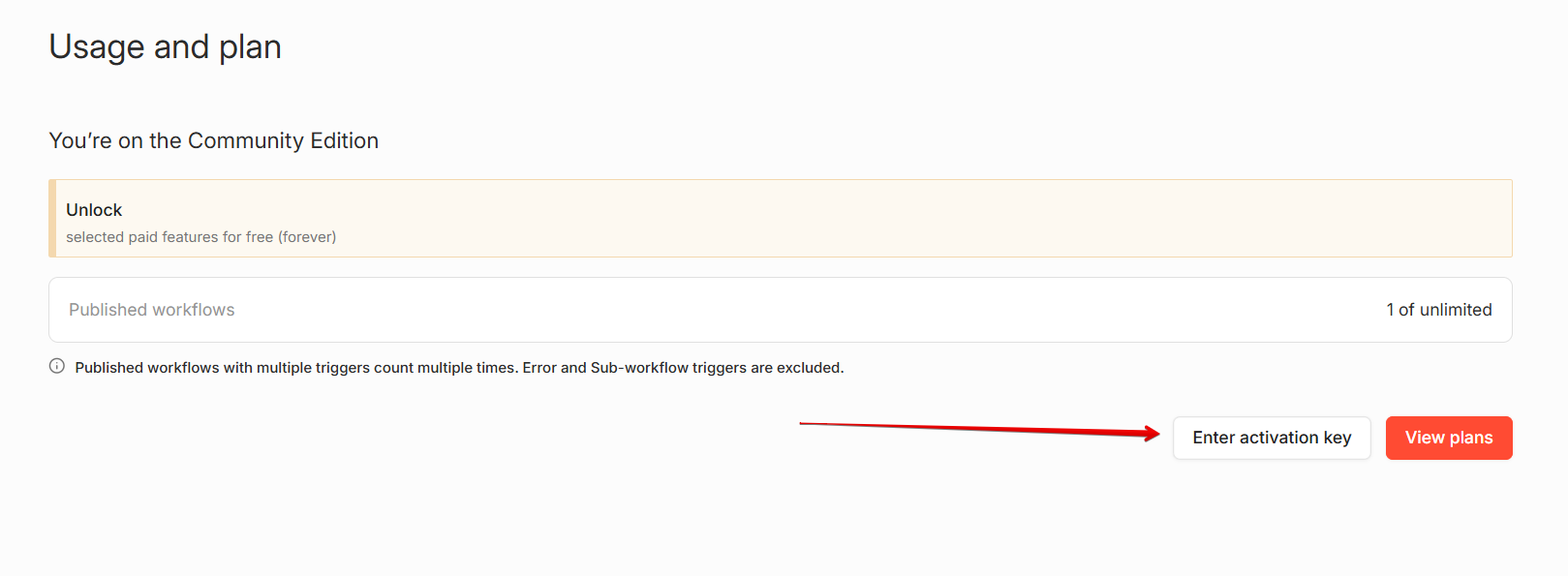
Click Enter activation key in n8n, paste the key from the email, and hit Activate.
FAQs
I activated my key, but I still see the “Enter activation key” button. Did it fail?
No. The Enter activation key button stays visible in Settings > Usage and plan even after your Community Edition license is active. To confirm activation, look for the "You're on the Community Edition" text in the Usage and plan screen.
What if I requested a key for the wrong email?
No problem! Just repeat the steps above to request a new activation key for the correct email.
Can I reuse my activation key?
Yes. The same Community Edition activation key can be used up to 5 times.
Article Last Updated At: 2026-10-21T10:17:26.683Z