Where can I find my invoices and add a VAT number?
How to add address and VAT number
Log in to the n8n Admin Dashboard.
If you are having any issues accessing the Admin Dashboard, check this article: How to access the n8n Admin Dashboard.
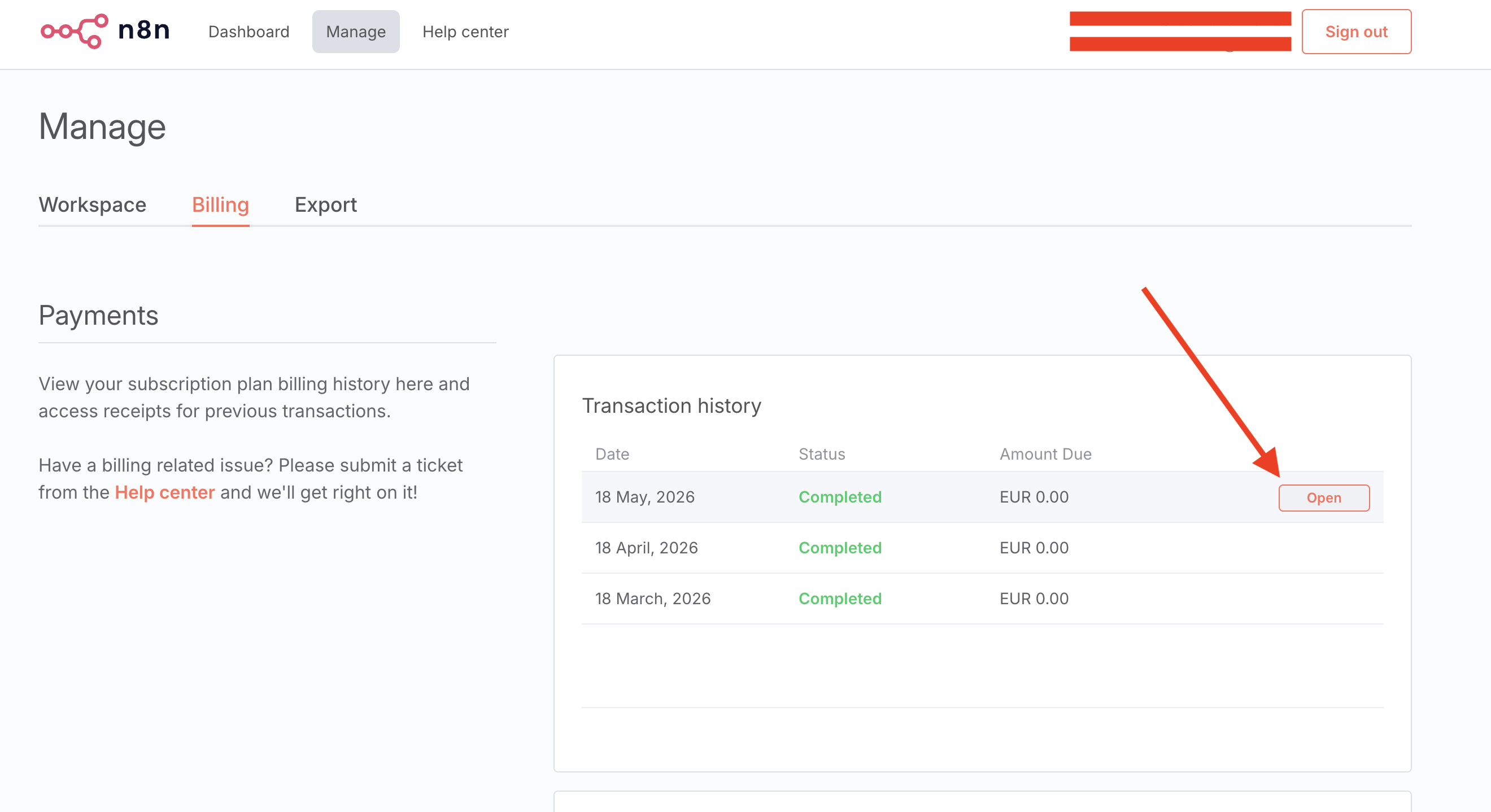
In the Admin Panel, navigate to the Manage tab and click on Billing.
Hover over the most recent transaction. An Open button should appear and click Open.
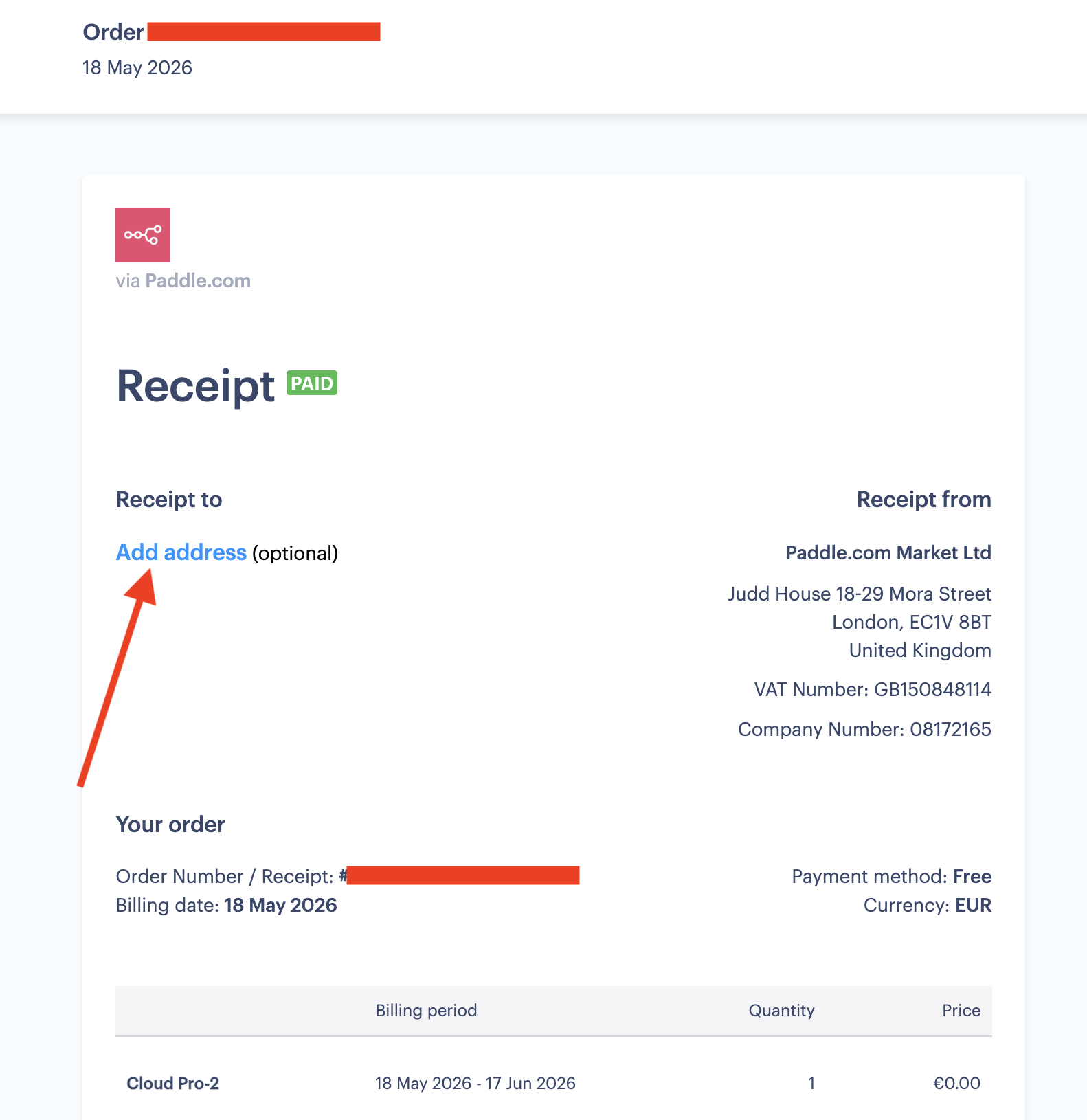
This link will open your receipt from Paddle who is the billing processor for n8n cloud.
Click on Add address to add invoice information including VAT. In case you find yourself unable to add a VAT number to your invoices through the above steps, please reach out directly to Paddle.
Note: Updating a VAT number on an existing invoice cannot be done manually. If you need to update a VAT number on a previously issued invoice, please reach out to Paddle support directly.
How to find and download your invoices?
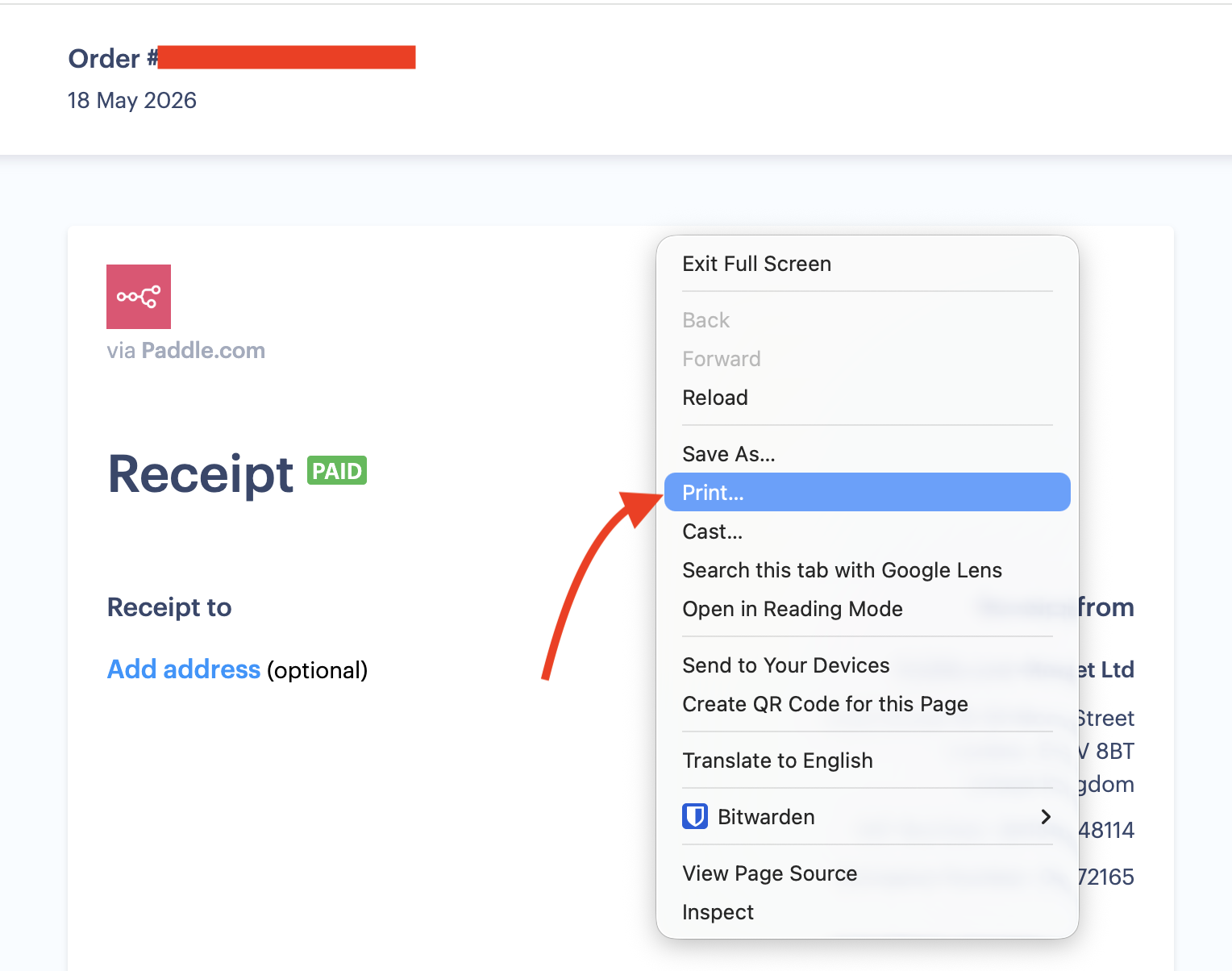
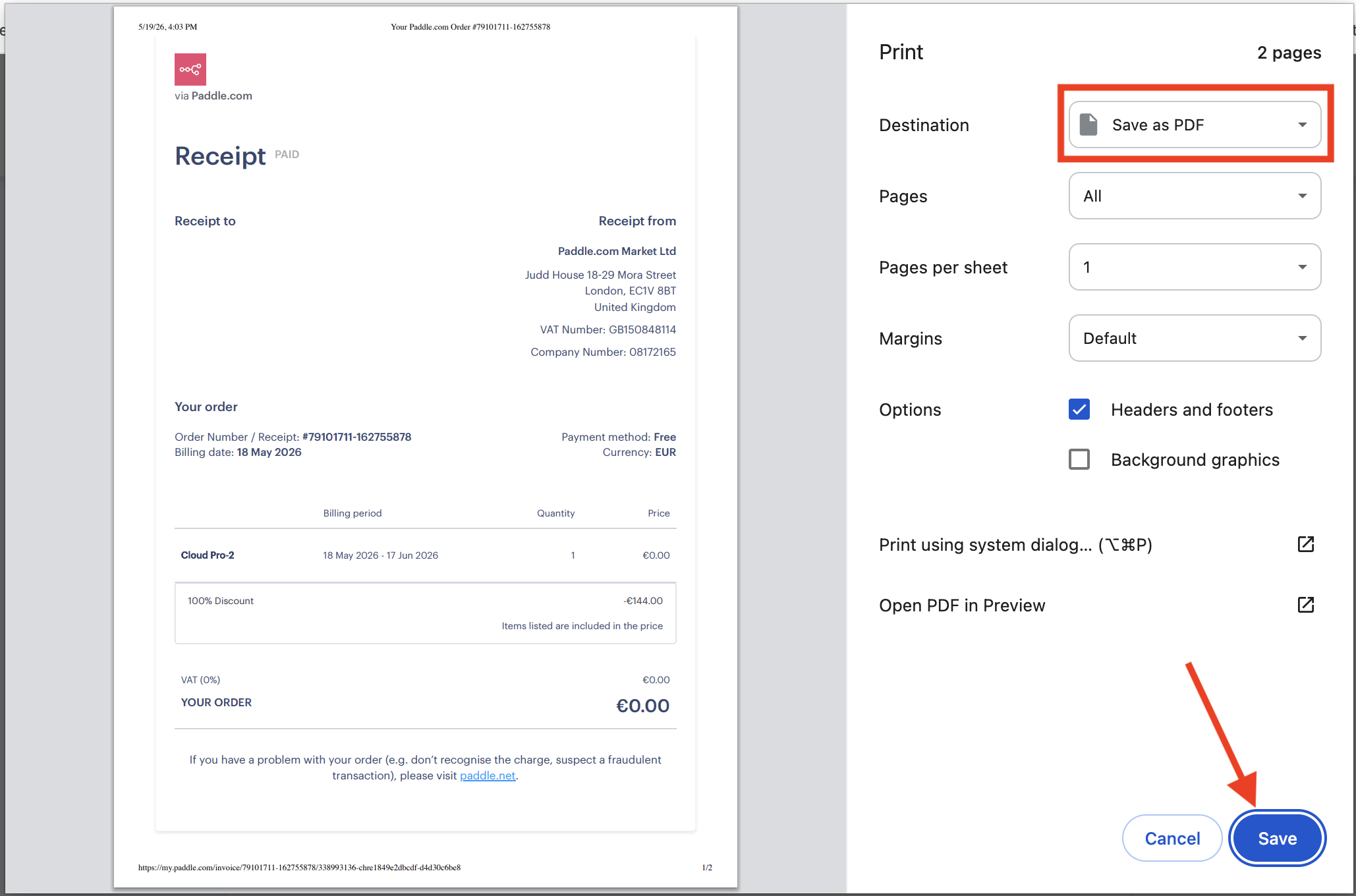
The steps to download an invoice are the same as above. Once the invoice is open in Paddle, make a right click on your mouse and use the print option (CMD+P for MAC and CTRL+P for Windows) and save it as a PDF file.