How to Download a Previous Receipt
Accessing Your Receipts
To access and download your previous receipts, follow these steps:
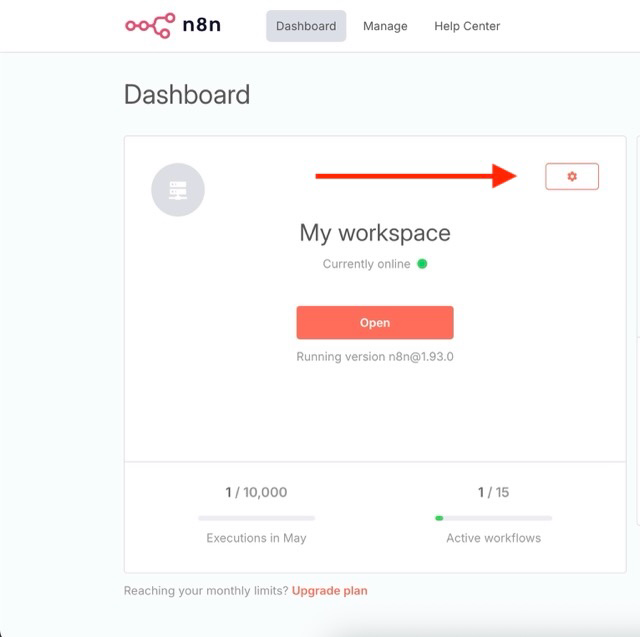
Log in to your n8n Admin Panel by requesting a Magic Link
For help accessing the Admin Panel, see: How to access the n8n Admin Dashboard.
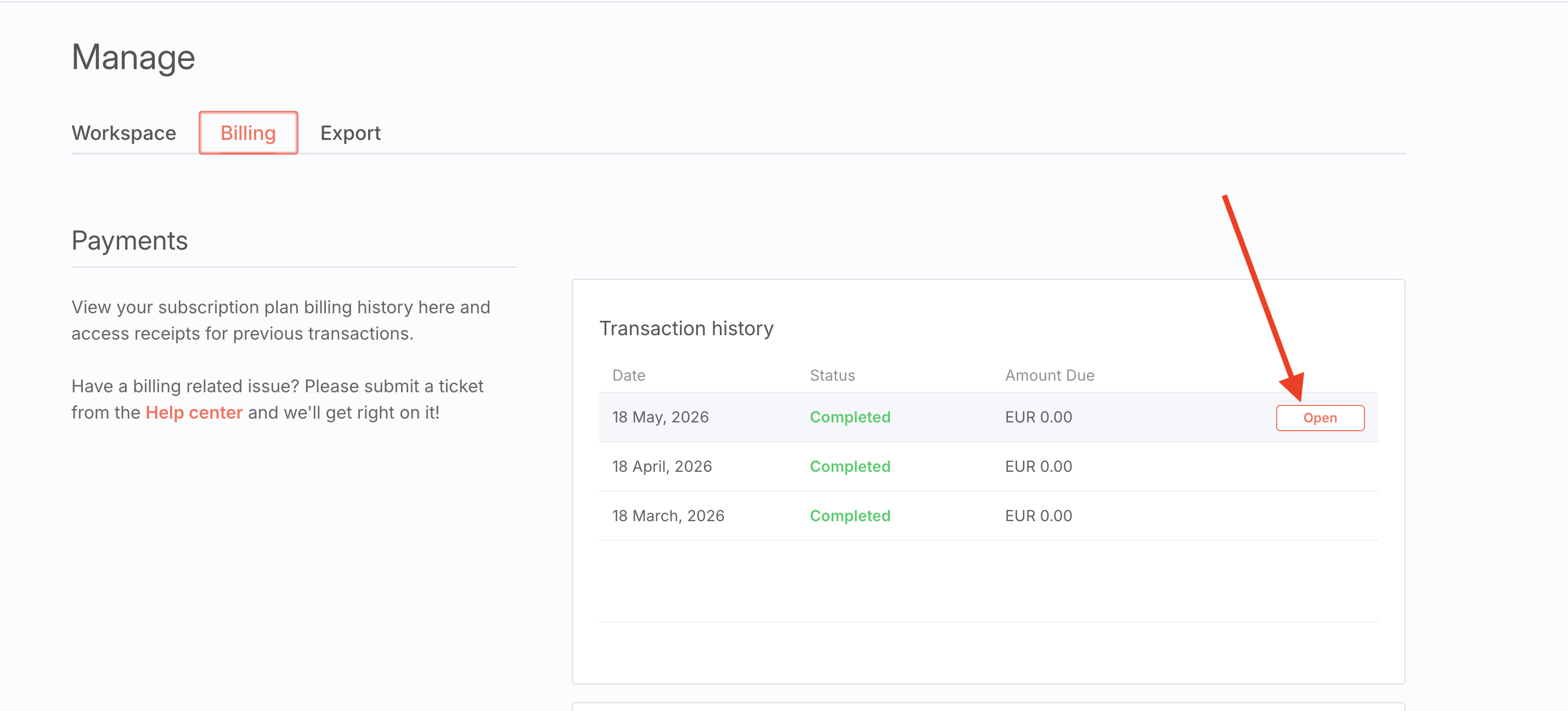
Navigate to the 'Manage' tab and select 'Billing.'
Under 'Payments' > 'Transaction history,' you will find your past receipts.
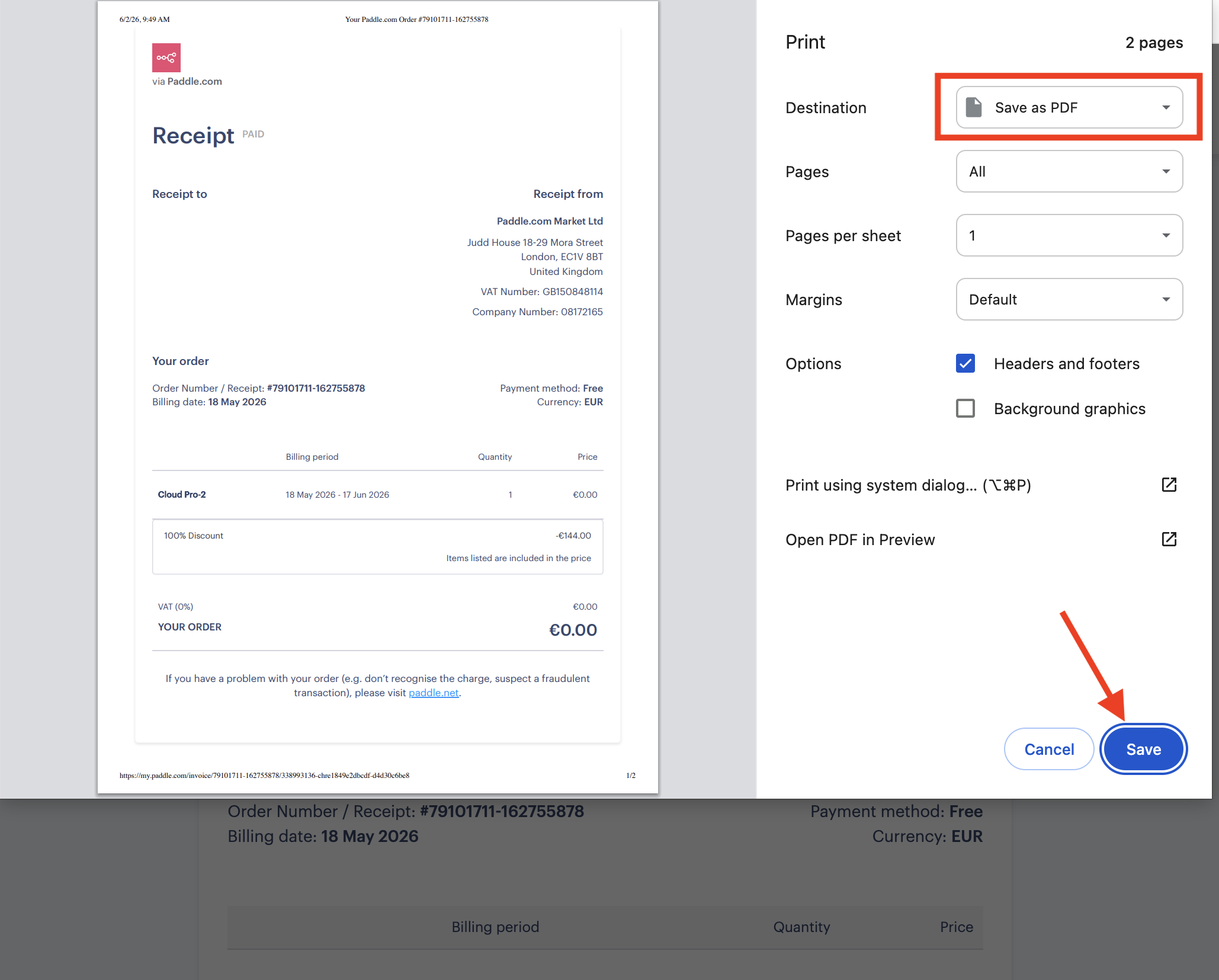
Select the desired receipt, open it, and use your browser's print function to save it as a PDF
(press "command + p" on Mac or "control + p" on Windows)