The n8n Cloud console has a new look
The n8n Cloud console, previously called the Admin Panel or Admin Dashboard, has a new look. We’ve refreshed the interface to make it easier to navigate and find the settings you need.
During the transition, we’ll include both the new and previous names in our Help Center articles where helpful, so you can match the instructions to the labels you see in your version of n8n.
What has changed?
Navigation: a sidebar replaces the previous top navigation and brings the main management pages together.
Terminology: you’ll see Cloud console instead of Admin Panel, and instance instead of workspace when referring to your Cloud deployment.
Appearance: the console has an updated design with light and dark themes.
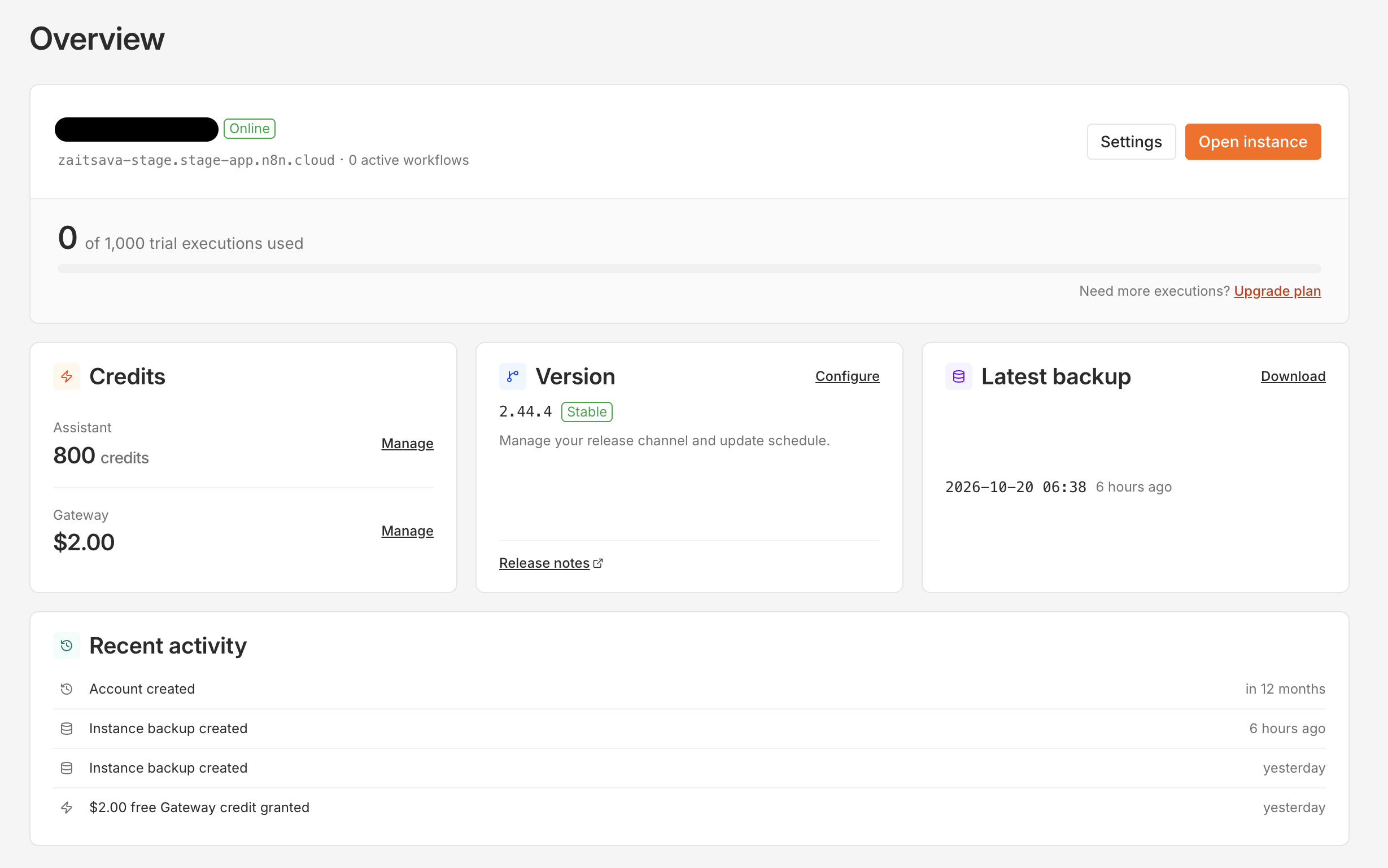
This update is to the Cloud console -the interface for managing your Cloud instance and subscription - not the editor where you build and run workflows.
Can I switch back to the classic view?
The new Cloud console is the default view. During the transition, you can temporarily switch back to Classic:
To switch to Classic: select Switch to classic UI at the bottom of the sidebar.
To return to the new look: select Try the new look in the header of the classic view.
Where can I find help?
For instructions on specific tasks, use these guides: