
How Do I Change My n8n Cloud Plan
This article guides you through the process of changing your Cloud plan on the n8n Admin panel.
Note that the n8n Admin panel can be accessing either at this URL if you are already logged in to your Workspace, or by requesting a Magic Link.
Please note: you cannot upgrade an existing Cloud plan to the Business plan.The Business plan is a self-hosted only plan and it is not available on the Cloud at this time. You may start a free trial of the self-hosted Business plan here: https://n8n.io/pricing/
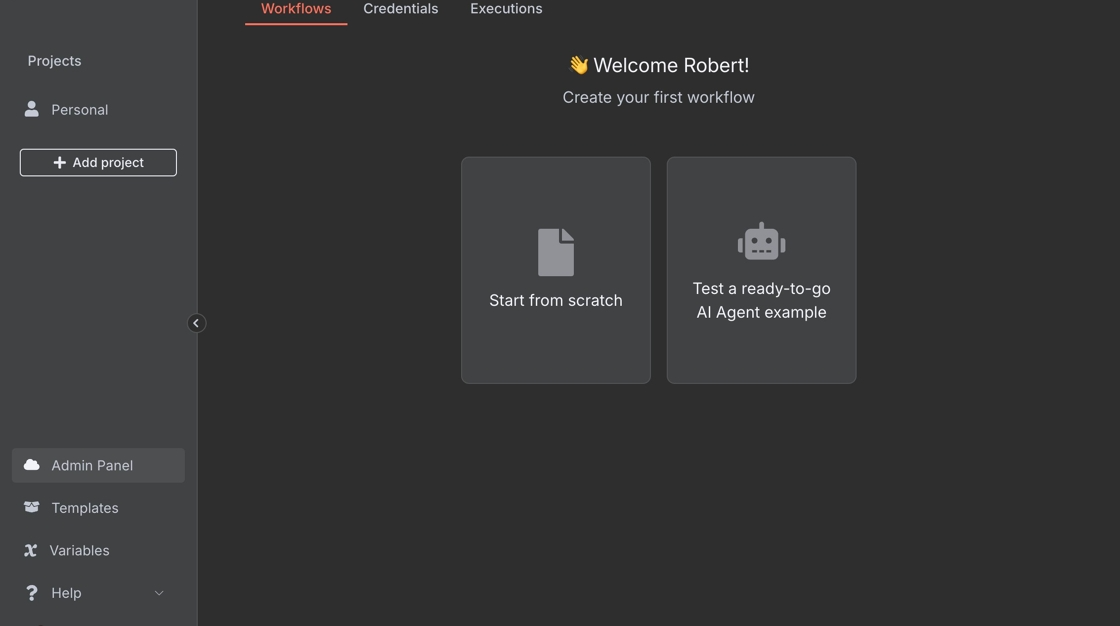
1. Navigate to the side panel in n8n
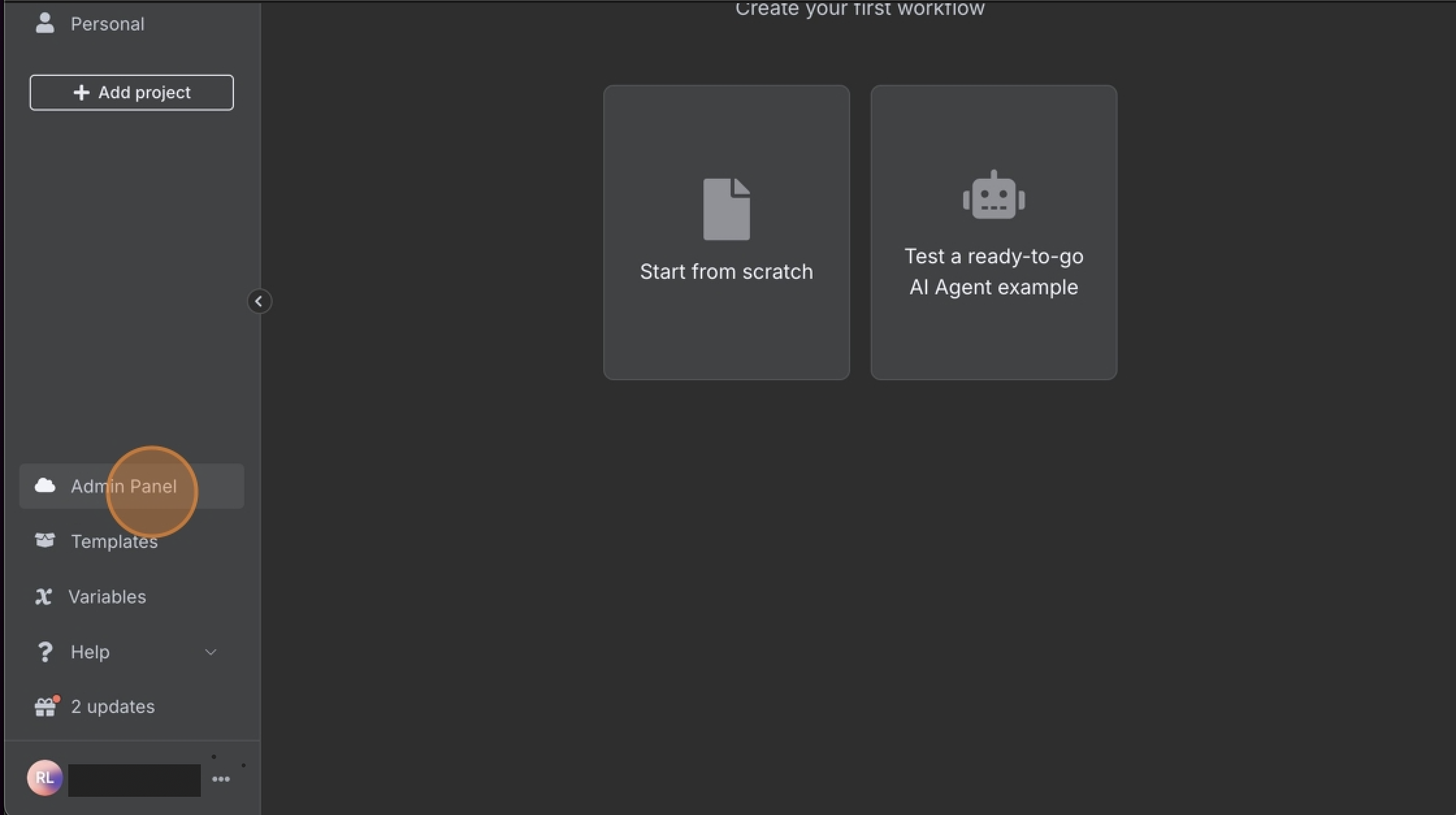
2. Click "Admin Panel"
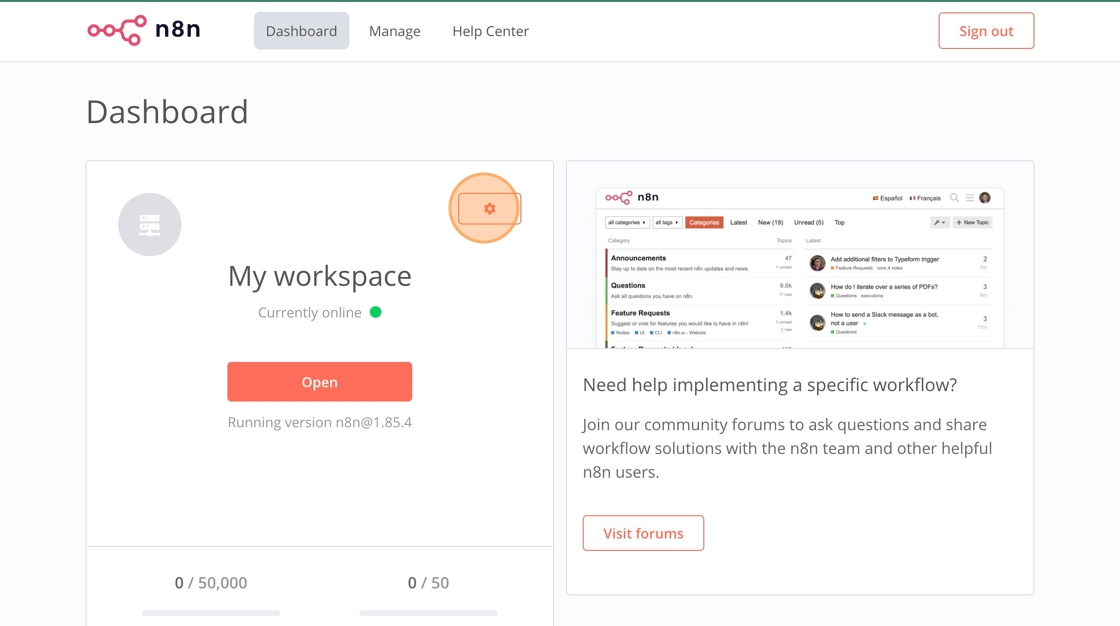
3. Click on settings, or open the manage section
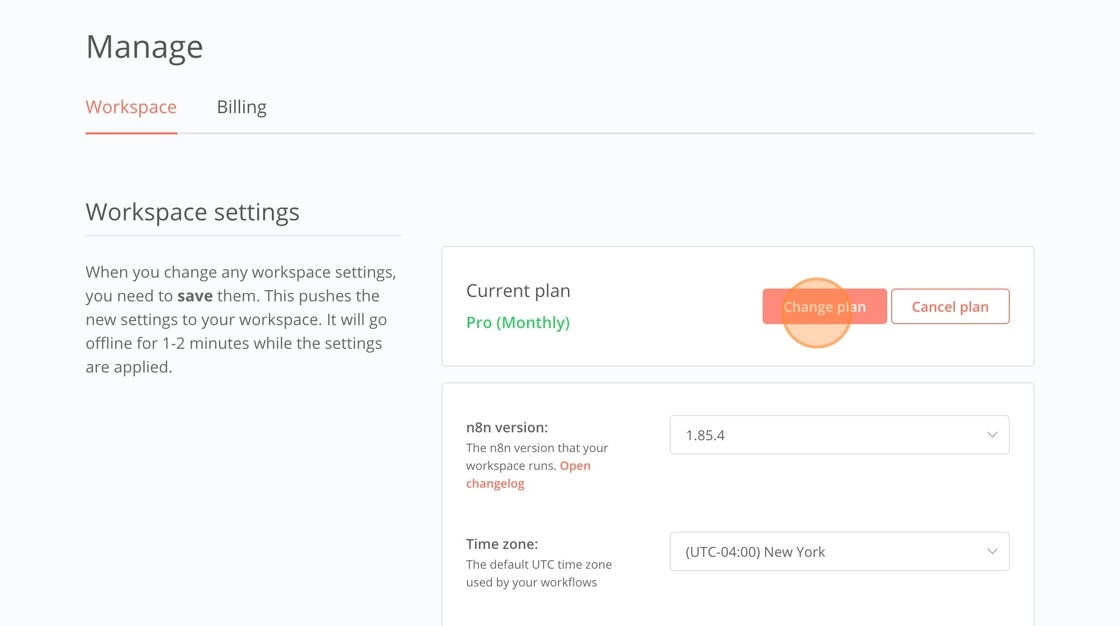
4. Click "Change plan"
5. Choose your desired plan and follow the on-screen instructions
Are there any price differences, prorated?
If you choose to upgrade your annual plan to a higher-tier subscription, any remaining months will be prorated against the cost of the higher-tier subscription.
If you decide to downgrade your annual plan, the amount will also be prorated. However, please note that any excess amount will be credited toward your next payment after your new term ends. This is a limitation imposed by our payment provider.
Please note that switching between monthly plans, or switching from a monthly to an annual plan, does not result in any prorated amount.
What happens to my AI credits when I upgrade?
When you upgrade to a higher Cloud plan, your AI credit allowance is raised to the new plan's limit straight away. You can use the extra credits immediately, you do not need to wait until the start of the next month, and this applies to a mid-month upgrade just as much as to one made at the start of a billing period.
Credits you have already used during the current month still count towards the new, higher limit. So if you have used your full allowance on your current plan and then upgrade, you can immediately use the difference between the two allowances for the rest of the month, rather than a second full allowance.
AI credits reset on the first day of each calendar month, regardless of your billing date or of when you upgraded. That reset is separate from the upgrade: upgrading raises your limit now, and the limit refreshes again on the 1st.