
Can I use my own AI API key on n8n Cloud?
In this article
In this article group
- How To Update To The Latest Stable Version In n8n Cloud
- n8n cloud trial FAQ
- How to Access and Install Verified Community Nodes in n8n Cloud
- How to add or modify execution limits on your Cloud Pro-2 monthly plan
- How to transfer ownership of your n8n instance to another e-mail
- Why didn’t I receive a Magic Link email?
- I have a feature request. Who do I talk to? How can I get this functionality added?
- How to Rename an n8n Cloud Instance
- How do I change my email?
- I want to cancel my paid subscription
- How do I delete my n8n account
- Can you reset my executions?
- How to download workflows from a backup
- 404 page and how to download your workflows when your instance is not available after an expired trial
- How Do I Change My n8n Cloud Plan
- Can I add or reset my n8n Assistant credits?
- I am getting 503 errors on my workspace
- How can I add more workflow executions?
- Why do I have fewer n8n Assistant credits since 1 October 2026?
- Is n8n down?
Yes. Bringing your own AI provider key (Anthropic, OpenAI, etc.) for AI nodes in your workflows has always been available on every n8n plan and edition — Cloud Starter, Pro, Enterprise, and self-hosted.
Using your own key on an AI node
On any node with an AI credential (OpenAI, Anthropic, etc.), open the credential field and select "Create new credential", then add your provider API key as usual to set up your credential.
This works the same way on every plan. It has no plan-tier requirement and is not related to or dependent on Gateway credits, AI Assistant credits, or instance-level MCP.
Gateway credits (the optional alternative)
Gateway credits let you run supported AI models and tool services without creating a provider account or API key — n8n bills usage from a prepaid balance instead.
Available on n8n Cloud Starter and Pro only.
Available from n8n 2.36.0 onward.
Choosing Gateway credits is always optional — you can switch any supported node back to your own credential at any time.
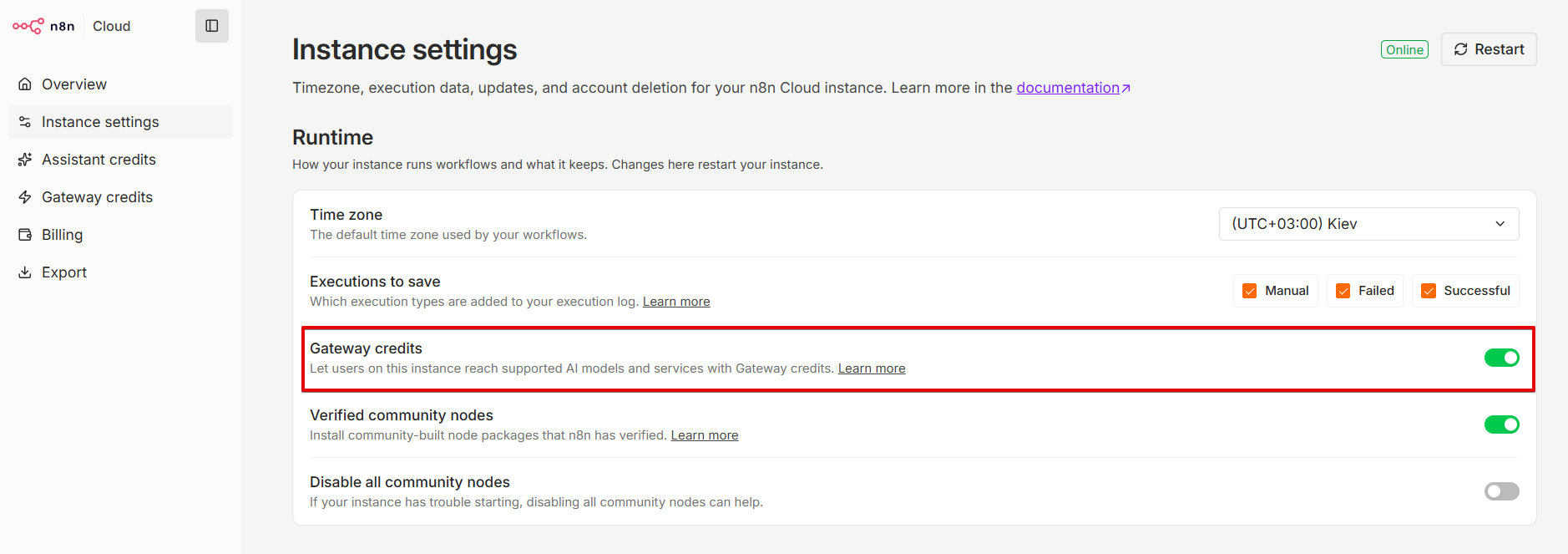
To use Gateway credits, you need to make sure the feature is enabled for your instance. You can do this by going to your Cloud console > Instance settings > Runtime > Gateway credits. Toggle it on to enable this feature.
Also, make sure that you have Gateway credits available to use them. You can verify this by going to your Cloud console > Gateway credits.
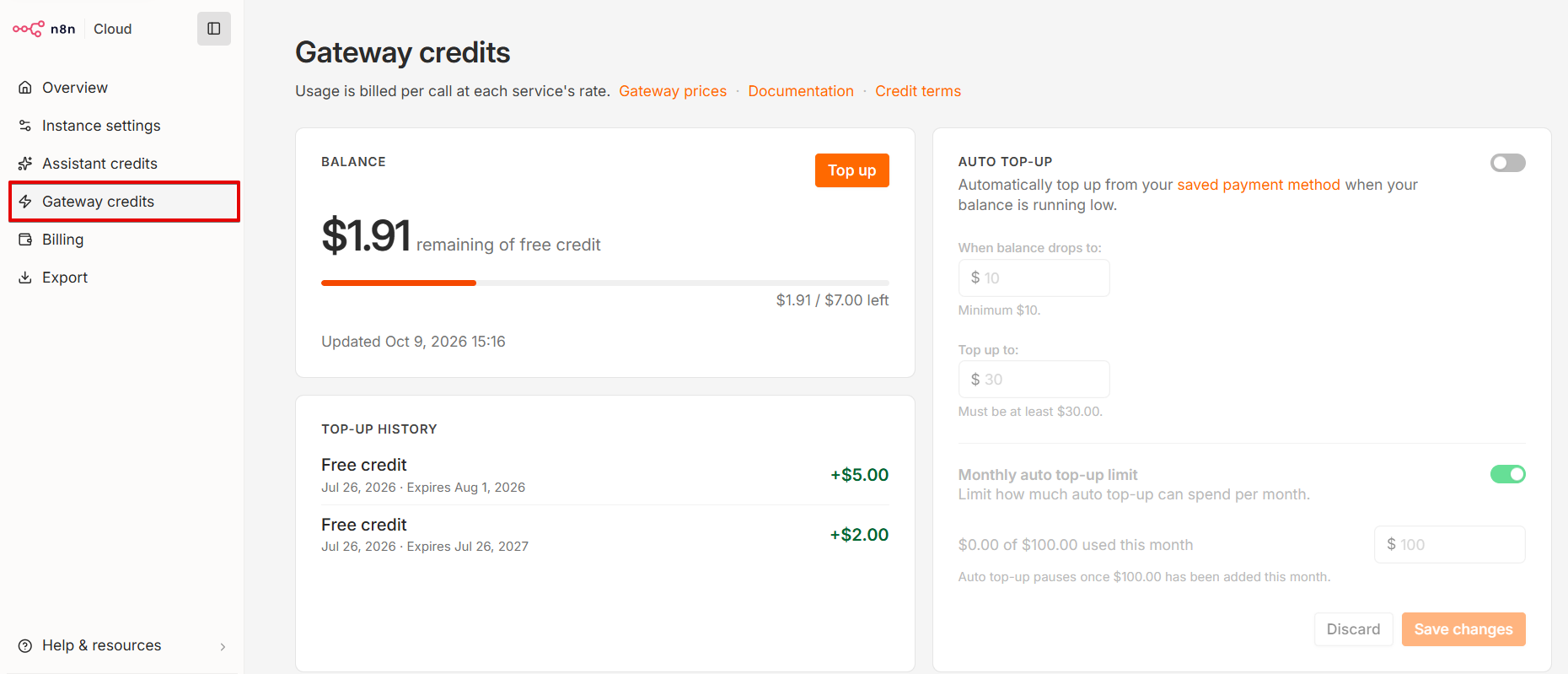
If needed, you can top up your Gateway credits and enable auto-top-up.
Not the same as AI Assistant credits or instance-level MCP
Two other n8n features are easy to mix up with the above:
AI Assistant credits are what power your AI Assistant sessions. See Can I add or reset my AI credits/tokens? for the reset policy for that feature.
Instance-level MCP lets external AI clients (Claude Desktop, Claude Code, ChatGPT, Cursor, etc.) connect to your n8n instance to search, execute, and build your workflows, among other things. It's available on every plan and edition. See this doc for setup.